Free email countdown timer, ready in 30 seconds
Make an animated countdown timer for your emails. Pick the end date, choose your colors, copy one line into your email. Every time someone opens it, they see the real time left. Works in Kit, Mailchimp, ActiveCampaign, AWeber, GetResponse, MailerLite and any email platform that shows images.
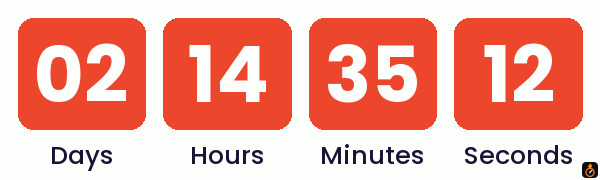
Preview (a still picture). In your email it counts down live, second by second.
Updated
Make my timer
An email countdown timer in three steps
Set the end
Pick the date, time and time zone your offer ends. Midnight on the last day works well.
Choose the look
Pick a color set or your own colors, the style, and the words people see after zero.
Paste it in
Copy the code into an HTML block in your email, or add the image by its address. That's it.
Why put a countdown timer in your emails?
Most promotions make the bulk of their sales in the last few hours. That rush only happens for people who know the deadline is close. A sentence like "sale ends Friday" is easy to forget, and it's wrong for anyone who opens the email late. A live countdown is right for everyone, every time they open it, and it makes "now" feel like now.
A timer also makes your deadline believable. When the countdown hits zero and the email says "this offer has ended", your list learns that your deadlines are real, so the next promotion sells better too.
Free timer or SureFire Deadlines?
This free timer
- An animated email countdown timer
- One end date for everyone
- Your colors, style and words
- Our small badge and credit line
SureFire Deadlines
- Evergreen deadlines: each subscriber gets their own countdown ("72 hours from when you joined")
- Move or extend a deadline and every email you already sent updates
- The same countdown on your sales page, checkout and social, ending at the same moment
- Smart links that send late clicks to a "you missed it" page
- Expiring coupon codes in Stripe, Shopify and other carts
- Your brand, not ours (no badge), plus stats on opens, clicks and sales
Questions
Is this email countdown timer really free?
Yes. No signup, no card, no trial. Make up to 3 timers an hour and 10 a day (people on the same network, like an office or school, share 30 a day, and on a very busy day the maker may ask you to come back later). Timer words can't include web addresses, and we block common adult and spam words. The timer image and its links come from surefiredeadlines.com, our free timer address (if your email platform or company only shows images from approved sites, add it). Each free timer shows a small SureFire Deadlines badge, part of the image, and comes with a small "free countdown timer by SureFire Deadlines" line to keep under it.
How does an email countdown timer work?
It's an animated image (a GIF) that's drawn fresh each time someone opens your email. Whoever opens it, and whenever they open it, they see the real time left until your deadline. When time runs out it shows your "ended" message instead.
Which email platforms does it work with?
Any platform that shows images: Kit (ConvertKit), Mailchimp, ActiveCampaign, AWeber, GetResponse, MailerLite, Klaviyo, GoHighLevel, Drip, Sendy and more. Paste the code into an HTML block, or add an image "from URL" with the image address.
Does it work in Gmail, Apple Mail and Outlook?
Yes, in Gmail, Apple Mail, Yahoo and most phone mail apps it counts down live. Some desktop versions of Outlook show only the first frame, so readers there still see the right time left when they open the email; it just doesn't tick.
Can I change the date after I send the email?
Not with the free timer: make a new one for your next email. With SureFire Deadlines you can move or extend a deadline at any time, and every email you already sent updates by itself.
Can each subscriber get their own deadline?
The free timer is one date for everyone. Per-person deadlines (evergreen, for example "72 hours from when you joined") are what SureFire Deadlines does, along with the same countdown on your sales page and checkout, and links that stop working when time's up.
How long does a free timer keep working?
It counts down to your end time, then shows your "ended" words for 30 days. After that it shows a small "make your own free timer" image for a while, and then nothing. Very large sends still work: after about 25,000 opens in a day the timer shows the correct time as a still image until the next day (UTC).
Everything free, in one place
See all free tools → · How the free tools work (help article)